- iOS:
VehicleSpecView, its horizontalViewin govuk-once/govuk-mobile-ios-app/Production/govuk_ios/Views/DVLA/VehicleSpecView.swift at 8f1fe5da - Android:
SpecificationsIconsin govuk-once/govuk-mobile-android-app/design/src/main/kotlin/uk/gov/govuk/design/ui/component/SpecificationsIcons.kt at f50fcd71 - Figma: none linked yet
Summary columns
Lays out a few short facts side by side, in equal columns with a divider between them, so they can be taken in at a glance: a vehicle's year, fuel and colour, a driver's offences and points, or a vehicle's tax and MOT.
GOV.UK app component
What goes in the columns
Summary columns only lay out their columns: each holds a component of its own, which draws itself.
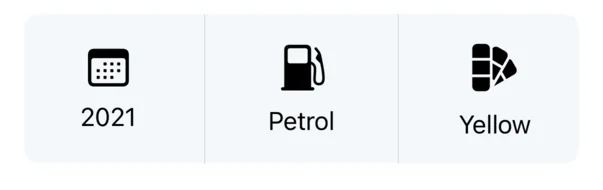
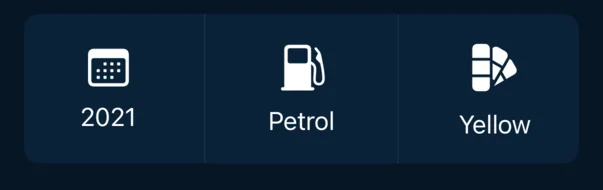
- A labelled icon, as the app shows a vehicle’s year, fuel and colour.
- A count, proposed, as the future driving designs show a driver’s offences and points.
- A status, proposed, as the future driving designs show a vehicle’s tax and MOT.
Known differences from the app
- When its columns don’t fit side by side, the app stacks them, one above another. These always stay side by side.
Examples
Labelled icons, as a vehicle's year, fuel and colour
HTML
<govuk-app-summary-columns>
  <govuk-app-summary-column>
    <govuk-app-labelled-icon icon="calendar_month" label="Year of manufacture: 2021">2021</govuk-app-labelled-icon>
  </govuk-app-summary-column>
  <govuk-app-summary-column>
    <govuk-app-labelled-icon icon="local_gas_station" label="Fuel: Petrol">Petrol</govuk-app-labelled-icon>
  </govuk-app-summary-column>
  <govuk-app-summary-column>
    <govuk-app-labelled-icon icon="palette" label="Colour: Yellow">Yellow</govuk-app-labelled-icon>
  </govuk-app-summary-column>
</govuk-app-summary-columns>
Counts (proposed), as a driver's offences and points
HTML
<govuk-app-summary-columns>
  <govuk-app-summary-column>
    <govuk-app-count value="2">Offences</govuk-app-count>
  </govuk-app-summary-column>
  <govuk-app-summary-column>
    <govuk-app-count value="12">Points</govuk-app-count>
  </govuk-app-summary-column>
</govuk-app-summary-columns>
Statuses (proposed), as a vehicle's tax and MOT
HTML
<govuk-app-summary-columns>
  <govuk-app-summary-column>
    <govuk-app-status label="Tax" caption="Valid"></govuk-app-status>
  </govuk-app-summary-column>
  <govuk-app-summary-column>
    <govuk-app-status state="due" progress="0.75" label="MOT due" caption="23 days"></govuk-app-status>
  </govuk-app-summary-column>
</govuk-app-summary-columns>
Inputs
It takes no attributes.
Content
Two to four <govuk-app-summary-column> elements, left to right, each holding one component, such as a <govuk-app-labelled-icon>, a <govuk-app-count> or a <govuk-app-status>.
Outputs
None.
Rules
- Use it for two to four facts of the same kind, worth taking in at a glance. For more, or for longer ones, use a grouped list.
- Put the same kind of component in every column: all labelled icons, all counts, or all statuses.
- Keep what's in each column short, so it fits in a narrow column.
- Put it inside a card, such as a grouped list's content row with flush, with anything more about the facts, such as History, in a row below it.
When not to use it
| When | Use instead |
|---|---|
| For more than four facts, or longer ones | govuk-app-grouped-list |
| For facts of different kinds | govuk-app-grouped-list-row type="information" |
| To put a few components side by side that aren't facts, such as a number plate and a menu button | govuk-app-stack direction="horizontal" |
The iOS, Android and Figma sources it was built from
Screenshots of the app's own component, to compare the examples with
iOS