- iOS:
BulletViewin govuk-once/govuk-mobile-ios-app/Production/govuk_ios/SwiftUIViews/BulletView.swift at 1e520fc1 - iOS:
AnalyticsConsentContainerView, its regular spacingin govuk-once/govuk-mobile-ios-app/Production/govuk_ios/SwiftUIViews/AnalyticsConsentContainerView.swift at 1e520fc1 - iOS:
SARExplainerView, its compact spacingin govuk-once/govuk-mobile-ios-app/Production/govuk_ios/SwiftUIViews/Settings/SARExplainerView.swift at 1e520fc1 - Android:
BulletList, BulletItemin govuk-once/govuk-mobile-android-app/analytics/src/main/kotlin/uk/gov/govuk/analytics/ui/AnalyticsConsentScreen.kt at 16621861 - Figma: none linked yet
Bulleted list
Lists a few short points, each after a bullet, usually finishing a sentence that comes before it, such as what the app stores about the user or what sharing statistics shares.
GOV.UK app component
Known differences from the app
- The app’s bullet is the character •, in heavy Body. Here it’s a dot of the same size, in the same place, since the character’s size and position change from font to font.
- On Your app data, the app puts the list straight under its sentence, and 24pt above the next. In a screen, the list is the same distance from both as any other paragraph.
Examples
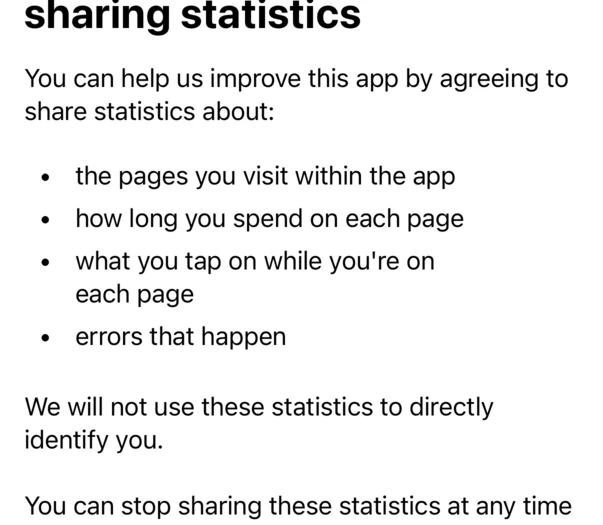
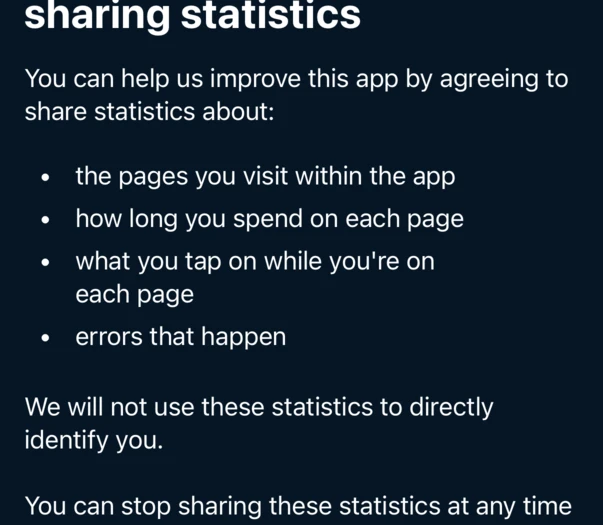
Regular, as on the screen asking to share statistics
HTML
<govuk-app-text>You can help us improve this app by agreeing to share statistics about:</govuk-app-text>
<govuk-app-bulleted-list>
  <govuk-app-bulleted-list-item>the pages you visit within the app</govuk-app-bulleted-list-item>
  <govuk-app-bulleted-list-item>how long you spend on each page</govuk-app-bulleted-list-item>
  <govuk-app-bulleted-list-item>what you tap on while you're on each page</govuk-app-bulleted-list-item>
  <govuk-app-bulleted-list-item>errors that happen</govuk-app-bulleted-list-item>
</govuk-app-bulleted-list>
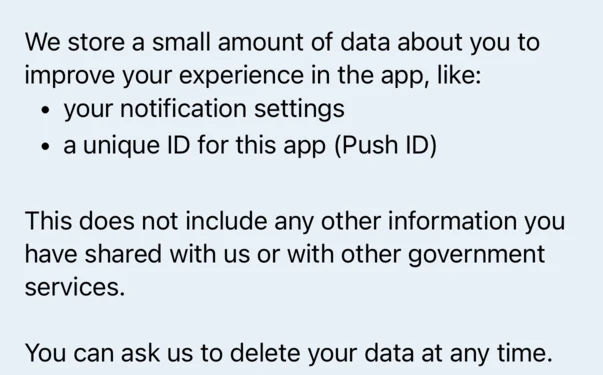
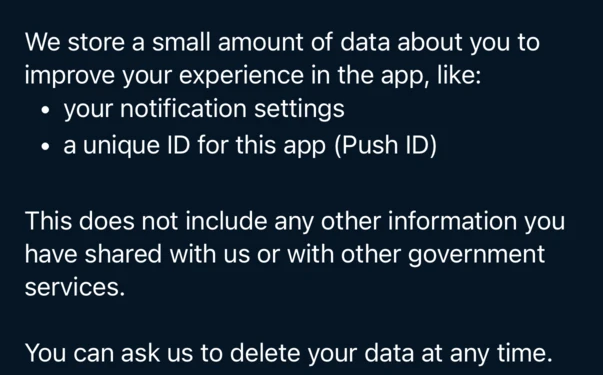
Compact, as on Your app data
HTML
<govuk-app-text>We store a small amount of data about you to improve your experience in the app, like:</govuk-app-text>
<govuk-app-bulleted-list spacing="compact">
  <govuk-app-bulleted-list-item>your notification settings</govuk-app-bulleted-list-item>
  <govuk-app-bulleted-list-item>a unique ID for this app (Push ID)</govuk-app-bulleted-list-item>
</govuk-app-bulleted-list>
Inputs
| Attribute | Type | Default | Description |
|---|---|---|---|
spacing |
"regular" | "compact" |
regular |
regular: the text 16pt after the bullet, and the points 8pt apart. compact: 8pt and 4pt, for a short list closely following its sentence, as on Your app data. |
Content
Two or more <govuk-app-bulleted-list-item> elements, in order, each holding one point as text, which may include a link.
Outputs
None.
Rules
- Introduce the list with a sentence ending in a colon, and write each point to finish it: in lower case, with no full stop, as the app does.
- Keep each point short, a line or two.
- Use it for points that are read together, not for steps in order or for things to tap: use a grouped list for those.
- Use one spacing throughout a journey's screens.
When not to use it
| When | Use instead |
|---|---|
| For things the user can tap, such as other screens | govuk-app-grouped-list-row type="navigation" |
| For two to four short facts, to take in at a glance | govuk-app-summary-columns |
| For a single point | govuk-app-text |
| For steps the user takes in order | govuk-app-grouped-list |
The iOS, Android and Figma sources it was built from
Screenshots of the app's own component, to compare the examples with
iOS