- iOS:
ChatActionViewin govuk-once/govuk-mobile-ios-app/Production/govuk_ios/Views/Chat/ChatActionView.swift at fc2b3b1d - iOS:
DynamicTextEditorin govuk-once/govuk-mobile-ios-app/Production/govuk_ios/Views/Chat/DynamicTextEditor.swift at fc2b3b1d - iOS:
ChatMenuViewin govuk-once/govuk-mobile-ios-app/Production/govuk_ios/Views/Chat/ChatMenuView.swift at fc2b3b1d - iOS:
maxCharacters, updateCharacterCount, shouldDisableSendin govuk-once/govuk-mobile-ios-app/Production/govuk_ios/ViewModels/Chat/ChatViewModel.swift at fc2b3b1d - iOS:
textEditorPlaceholder, remainingCharactersTitle, tooManyCharactersTitle, sendButtonAccessibilityLabelin govuk-once/govuk-mobile-ios-app/Production/govuk_ios/Resources/Strings/Chat.xcstrings at fc2b3b1d - Android:
ChatInput, CharacterCountMessagein govuk-once/govuk-mobile-android-app/feature/chat/src/main/kotlin/uk/gov/govuk/chat/ui/component/ChatInput.kt at 9952400f - Android:
ActionMenuin govuk-once/govuk-mobile-android-app/feature/chat/src/main/kotlin/uk/gov/govuk/chat/ui/component/ActionMenu.kt at 9952400f - Figma: none linked yet
Chat input
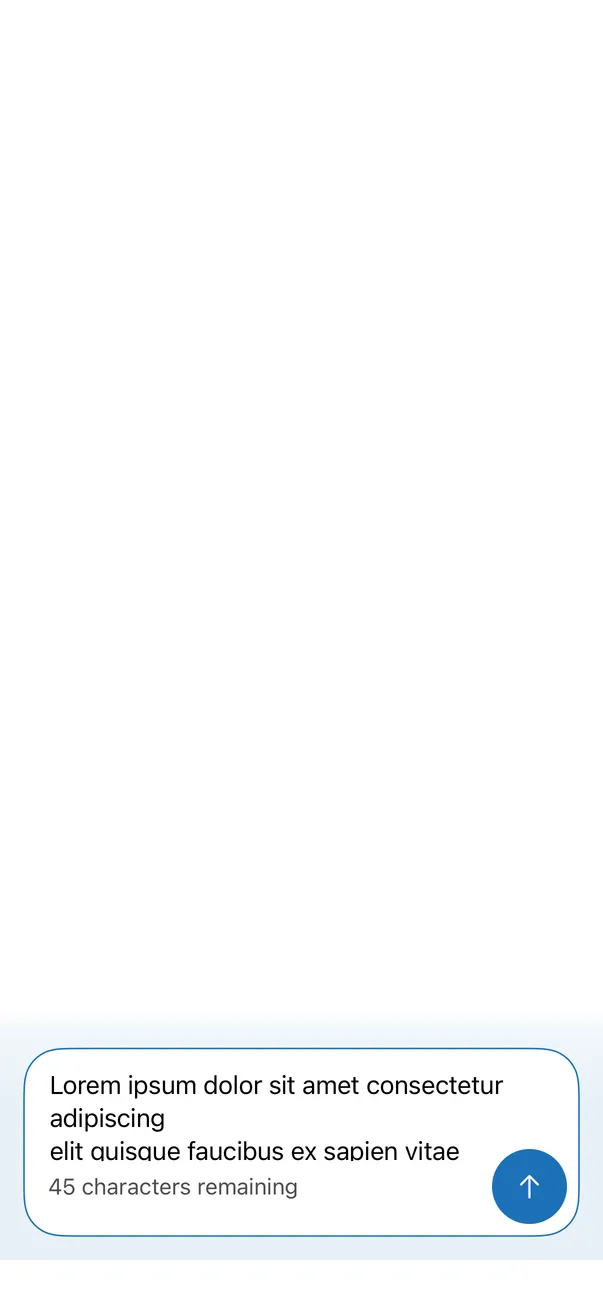
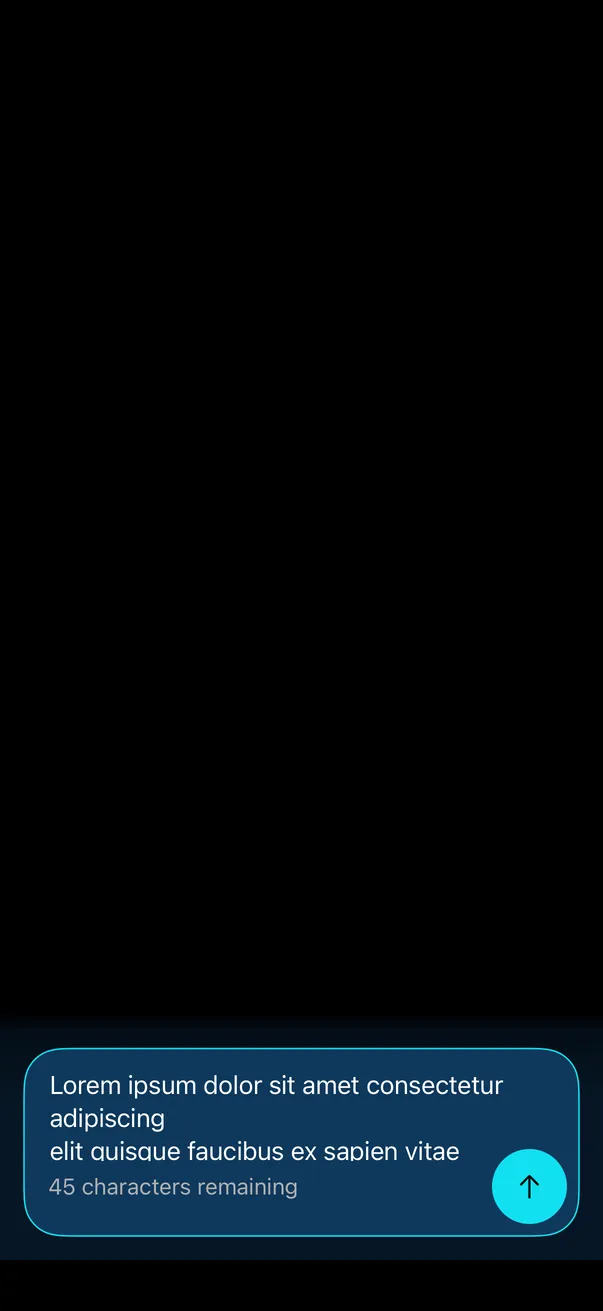
Where the user asks GOV.UK Chat a question, pinned below the conversation: a field that grows as they type, a send button once there's a question, and a menu of things to do with the chat, such as clearing it.
GOV.UK app component
On a GOV.UK Chat screen
Put it in the screen’s footer, so it stays below the conversation as it scrolls. With a tab bar, the screen puts the tab bar below it, as the app does:
<govuk-app-screen background="chat">
  <govuk-app-heading level="1" size="title-2" align="center">GOV.UK Chat</govuk-app-heading>
  <govuk-app-chat-answer note="Messages will be saved for 90 days.">
    <govuk-app-text>Hi, I’m GOV.UK Chat 👋. I use AI to help you find what you need on GOV.UK.</govuk-app-text>
  </govuk-app-chat-answer>
  <govuk-app-chat-input slot="footer" action="answer.html">
    <govuk-app-menu-button-item name="clear-chat" destructive icon="delete">Clear chat</govuk-app-menu-button-item>
    <govuk-app-menu-button-item name="privacy">Privacy notice</govuk-app-menu-button-item>
    <govuk-app-menu-button-item name="about">About</govuk-app-menu-button-item>
    <govuk-app-menu-button-item name="feedback">Give feedback</govuk-app-menu-button-item>
  </govuk-app-chat-input>
  <govuk-app-tab-bar>…</govuk-app-tab-bar>
</govuk-app-screen>
Sending a question sends the form to its action, so a prototype can go to a page with the answer, whatever is asked.
Known differences from the app
- The app shows how many characters are left only while the field is being typed in. Here it shows whenever the question is near the limit, so it can be shown in a prototype’s page.
- The app stops a question with personal data in it, such as an email address or a phone number, with an alert. Here any question can be sent.
- Return starts a new line, as in the app. On a computer, press the send button to send.
- The app’s send button grows a little when it’s pressed. Here it doesn’t.
- Clear chat’s icon is Material’s delete, filled, in place of SF’s trash, which is an outline.
Examples
Empty, with its menu
HTML
<govuk-app-chat-input>
  <govuk-app-menu-button-item name="clear-chat" destructive icon="delete">Clear chat</govuk-app-menu-button-item>
  <govuk-app-menu-button-item name="privacy">Privacy notice</govuk-app-menu-button-item>
  <govuk-app-menu-button-item name="about">About</govuk-app-menu-button-item>
  <govuk-app-menu-button-item name="feedback">Give feedback</govuk-app-menu-button-item>
</govuk-app-chat-input>
With a question
HTML
<govuk-app-chat-input value="How do I renew my passport?">
  <govuk-app-menu-button-item name="clear-chat" destructive icon="delete">Clear chat</govuk-app-menu-button-item>
  <govuk-app-menu-button-item name="privacy">Privacy notice</govuk-app-menu-button-item>
  <govuk-app-menu-button-item name="about">About</govuk-app-menu-button-item>
  <govuk-app-menu-button-item name="feedback">Give feedback</govuk-app-menu-button-item>
</govuk-app-chat-input>
Near the limit
HTML
<govuk-app-chat-input value="I moved house last month and I need to update my address on my driving licence, my vehicle log book, my passport and my council tax, and tell HMRC and the DWP about it too. Which of these can I do online, which do I have to do by post, and is there a deadline ">
  <govuk-app-menu-button-item name="clear-chat" destructive icon="delete">Clear chat</govuk-app-menu-button-item>
  <govuk-app-menu-button-item name="privacy">Privacy notice</govuk-app-menu-button-item>
  <govuk-app-menu-button-item name="about">About</govuk-app-menu-button-item>
  <govuk-app-menu-button-item name="feedback">Give feedback</govuk-app-menu-button-item>
</govuk-app-chat-input>
Over the limit
HTML
<govuk-app-chat-input value="I moved house last month and I need to update my address on my driving licence, my vehicle log book, my passport and my council tax, and tell HMRC and the DWP about it too. Which of these can I do online, which do I have to do by post, and is there a deadline for any of them, and will it cost me anything to c">
  <govuk-app-menu-button-item name="clear-chat" destructive icon="delete">Clear chat</govuk-app-menu-button-item>
  <govuk-app-menu-button-item name="privacy">Privacy notice</govuk-app-menu-button-item>
  <govuk-app-menu-button-item name="about">About</govuk-app-menu-button-item>
  <govuk-app-menu-button-item name="feedback">Give feedback</govuk-app-menu-button-item>
</govuk-app-chat-input>
Inputs
| Attribute | Type | Default | Description |
|---|---|---|---|
action |
string |
Where the form goes when the question is sent, such as the page with its answer. Without one, it goes to the page it's on. | |
method |
"get" | "post" |
get |
How the form is sent. get puts the question in the address of the page it goes to. |
name |
string |
question |
The field's name, which the question is sent as. |
value |
string |
A question already typed, to show the field as the user is typing. | |
placeholder |
string |
Ask a question... |
Shown in the field while it's empty. |
label |
string |
The field's name for screen readers. Without one, it's the placeholder. |
Content
The menu's items, <govuk-app-menu-button-item> elements, top to bottom, as the app has them: Clear chat, destructive, with the delete icon, then Privacy notice, About and Give feedback. Without any, there's no menu.
Outputs
input: From the field, as the user types.submit: From the form, when the user presses the send button. The question is its field's value.click: From the menu's button, and from its items, when they're pressed.
Rules
- Put it in the screen's footer, with slot="footer", so it's pinned below the conversation, and above the tab bar, if the screen has one.
- Use one on every GOV.UK Chat screen, including a new chat and while an answer is being generated, as the app does.
- Give it the app's menu: Clear chat, once there's a conversation to clear, then Privacy notice, About and Give feedback.
- Give it an action to take the user to the next page of a prototype when they send a question, such as its answer.
When not to use it
| When | Use instead |
|---|---|
| To ask the user a question on a form, such as their postcode | govuk-app-text-field |
| To search GOV.UK | govuk-app-search-field |
| To search for something on a card of its own, such as a vehicle | govuk-app-search-box |
The iOS, Android and Figma sources it was built from
Screenshots of the app's own component, to compare the examples with
iOS