3.3.8 Accessible Authentication (Minimum) (AA)
Make it as easy as possible to sign in with less mental effort. Don’t make people remember, solve or transcribe something. This is because some people with cognitive impairments cannot easily solve puzzles, remember passwords or retype one-time passcodes.
What WCAG says:
“A cognitive function test (such as remembering a password or solving a puzzle) is not required for any step in an authentication process…” (with exceptions)
Check the official guidance for Understanding 3.3.8 Accessible Authentication (Minimum)
What this means
Any sign in process must not rely on a test, including:
- remembering text, such as a password or numerical code
- copying or transcribing text from one place to another
- a test based on numbers or words
- solving a puzzle
Why it matters
If a sign in process includes steps which make it unnecessarily difficult, it can exclude some people with cognitive impairments, such as dyslexia, dyscalculia or brain injury.
How to check
Check that there is at least one way to sign in that doesn’t rely on a test - for example following a link in an email, or scanning a face or fingerprint.
It’s OK if any of the following are true:
- the user can paste or auto-fill a password or authentication code into an input field - as that doesn’t rely on memory
- a test involves recognising physical objects
- a test involves identifying images, audio or video that the user has already provided
- help is provided to complete a test - such as hints
How to test in detail for 3.3.8 Accessible Authentication
Good example
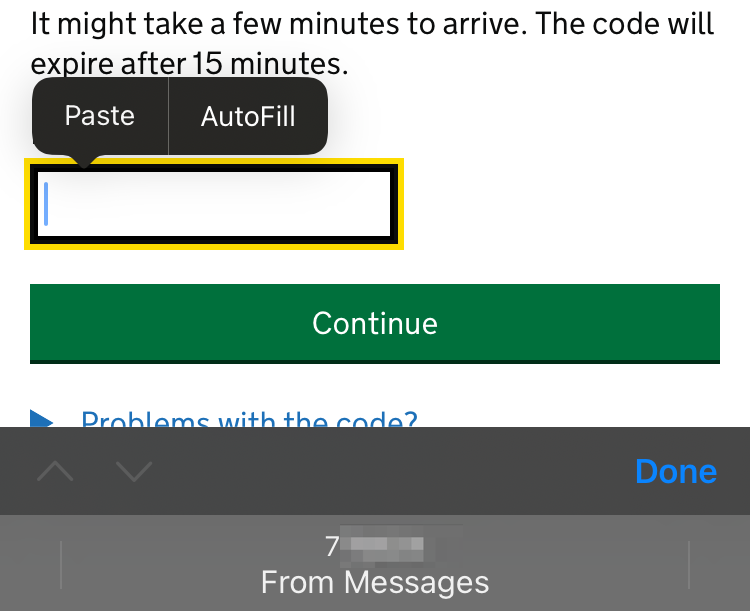
Authentication code can be pasted
When the user opens an app, they’re sent a 6 digit code by text - they must enter this code to sign in.
The input field allows the user to paste the code from their clipboard. The code can also be autofilled using the “From Messages” prompt. This removes any need to remember the code.
Common mistakes
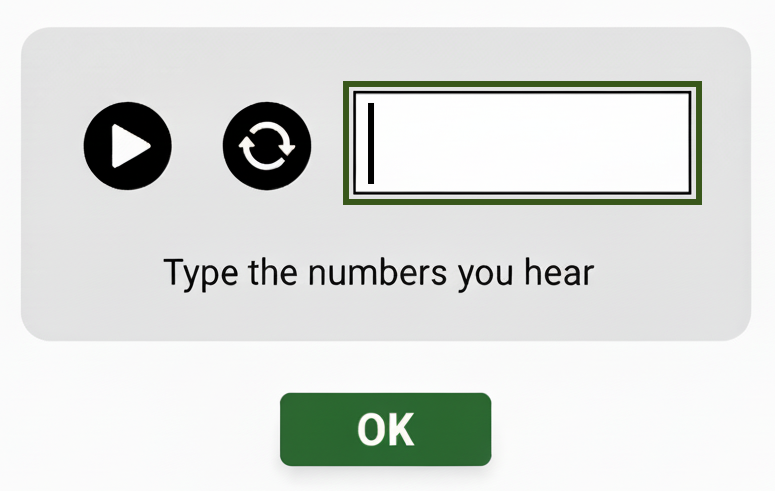
Test relies on transcribing a number
When a security mechanism asks you to listen to a number and write it into a field, this requires you to remember the number. It also discriminates against anyone who cannot hear it.
To pass Accessible Authentication, there could be an alternative method also available that does not require you to memorise a number.
Test relies on doing maths to add two numbers
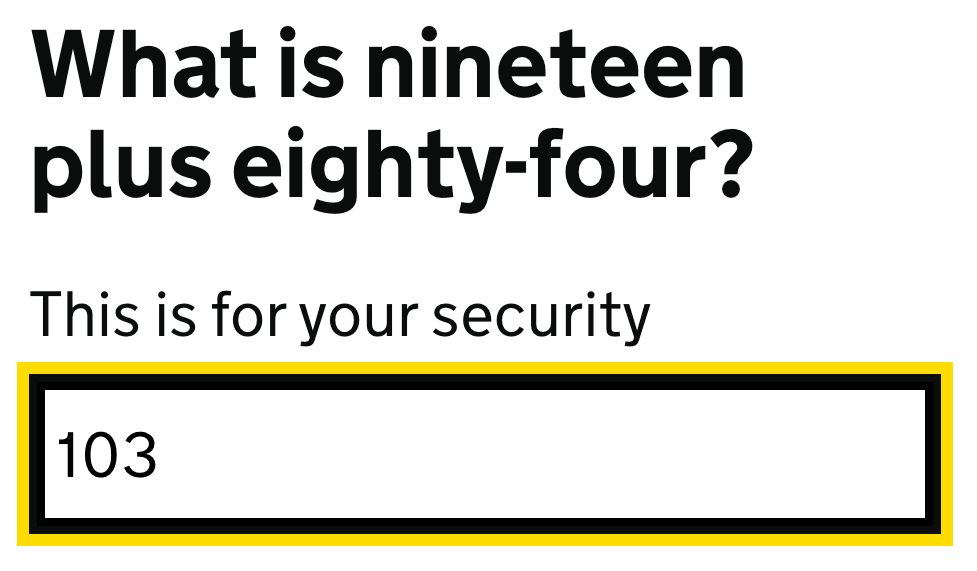
When a security mechanism asks you to solve a sum or puzzle, it can make it difficult for people with cognitive disabilities to log in.
This example asks “What is nineteen plus eighty-four”. As well as solving the sum, it is unclear whether the answer should be written as a number or as a word.
This could be improved by replacing the question with an object recognition test.
Related success criteria
- 3.3.7 Redundant Entry (A) aims to make it easier for users to re-enter information as part of a service.
- To achieve AAA compliance and meet the official guidance for Understanding 3.3.9 Accessible Authentication (Enhanced), you need to meet the AA criterion without relying on users recognising objects or content they’ve already provided.
Useful resources
Video: Inspecting WCAG 2.2: accessible authentication (by the GOV.UK Design System)
Last updated
This page was last updated in December 2025.