3.2.3 Consistent Navigation (AA)
Repeated navigation should be consistent across a website, so users can interact with the content predictably.
What WCAG says:
Navigational mechanisms that are repeated on multiple web pages within a set of web pages occur in the same relative order each time they are repeated, unless a change is initiated by the user.
Check the official guidance for Understanding 3.2.3 Consistent Navigation
What this means
If a website has navigation that appears on multiple pages, it should stay consistent. Users should not have to relearn where things are every time they move on to a new page.
Websites should have a consistent layout so users can quickly navigate repeated content in a predictable way, so they feel more comfortable and confident. This includes things like navigation menus, search boxes, footer navigation, and so on. Navigation does not need to be identical on every page, but repeated items should stay in the same order.
Why it matters
If people find something in one place on a page, they should be able to expect it to be in a similar place on other pages. This avoids unnecessary ‘mental load’ (or stress) for the user.
It is particularly important for people with disabilities. For example, people with low vision who use screen magnification which displays an enlarged small portion of the screen. If content is in a different place each time, they spend more time searching the page. Additionally, people with cognitive limitations may find the changing layouts confusing, and people who are blind and rely on screen readers may need to relearn where content appears on the page.
Consistent navigation makes websites predictable. Users can focus their efforts on the task they are trying to complete instead of figuring out where things have moved to.
How to check
For any navigational elements that are repeated on more than one page, check that they are always in the same relative order on the page.
How to test in detail for 3.2.3 Consistent Navigation
Common mistake
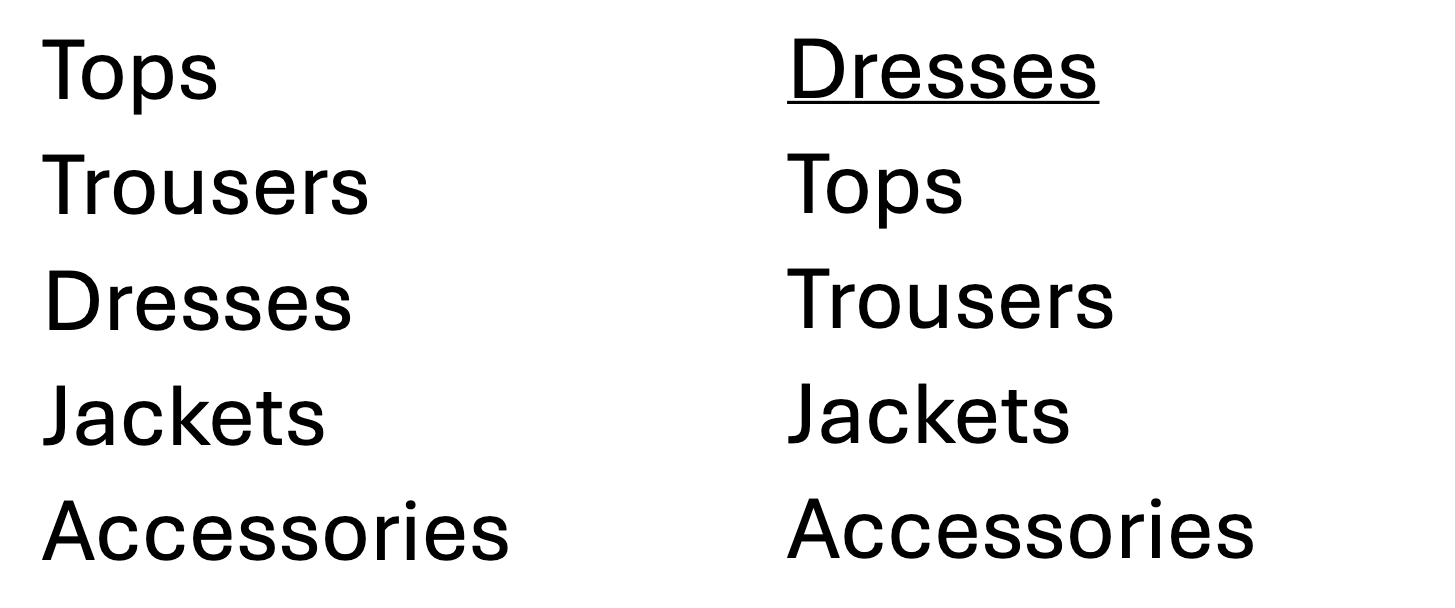
Filters are in a different order
A clothes shopping website uses filters for different types of women’s clothing including tops, trousers, dresses, jackets and accessories. A user selects ‘dresses’ and the dresses page loads. The website moves ‘dresses’ to the top of the list to show which category is currently selected. Later, the user decides to look at ‘tops’ instead and moves the cursor to where ‘tops’ was before, expecting it to be at the top of the list but now it shows ‘dresses’ and the user clicks on this by mistake. The user must then search the list again to find ‘tops’.
If the order changes every time a category is selected, the user has to relearn where each option is each time. This makes navigation slower, less predictable and leaves the user feeling frustrated. This can be particularly difficult for people with cognitive disabilities who rely on predictable page layouts.
Good example
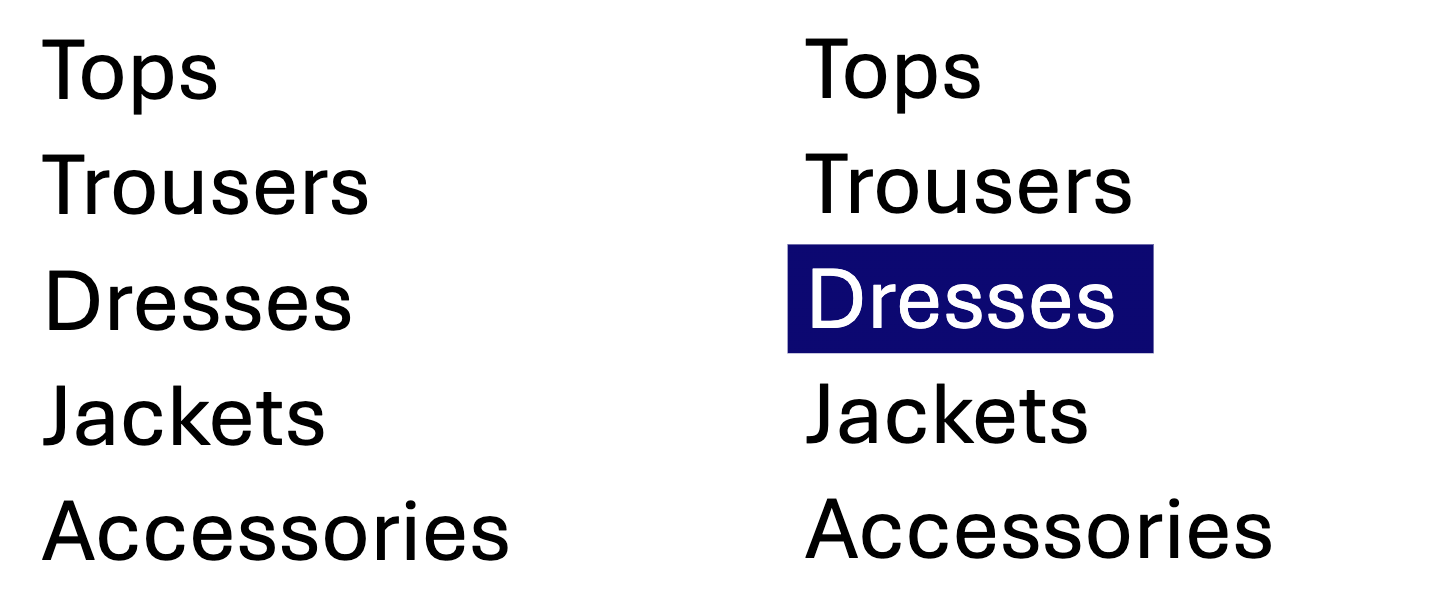
Filters are in a consistent order
A clothes shopping website could show which category is selected by keeping the content in the same order but highlighting the selected option. A user moves from ‘dresses’ to ‘tops’ and because the navigation order has not changed, they can quickly find and select ‘tops’ where they expected it to be. This consistency is predictable and reduces the user’s effort when using the website.
Related success criteria
Consistent Navigation is closely related to the following:
- 3.2.4 Consistent Identification (AA) requires that repeated functionality has consistent labels.
- 3.2.6 Consistent Help (A) requires that any repeated help options are in a consistent place across pages.
Last updated
This page was last updated in October 2026.