1.3.4 Orientation (A)
What WCAG says:
Content does not restrict its view and operation to a single display orientation, such as portrait or landscape, unless a specific display orientation is essential.
Check the official guidance for Understanding 1.3.4 Orientation
What this means
User interfaces should be usable in portrait or landscape orientation.
Why it matters
Users with low vision should be able to view content in the orientation that works best for them. Landscape orientation allows for larger text to appear while remaining readable.
For users with dexterity impairments who fix a mobile device or tablet in one position, they will need to see content in their preferred way. Some user interface features, such as the on-screen keyboard, may also provide larger buttons in landscape orientation.
How to check
Using a device with an orientation sensor, such as a tablet or smartphone, make sure that content remains readable and user interface controls remain usable in both portrait and landscape. You should not be prompted to change the orientation.
How to test in detail for 1.3.4 Orientation
Good example
App layout adjusts to the device
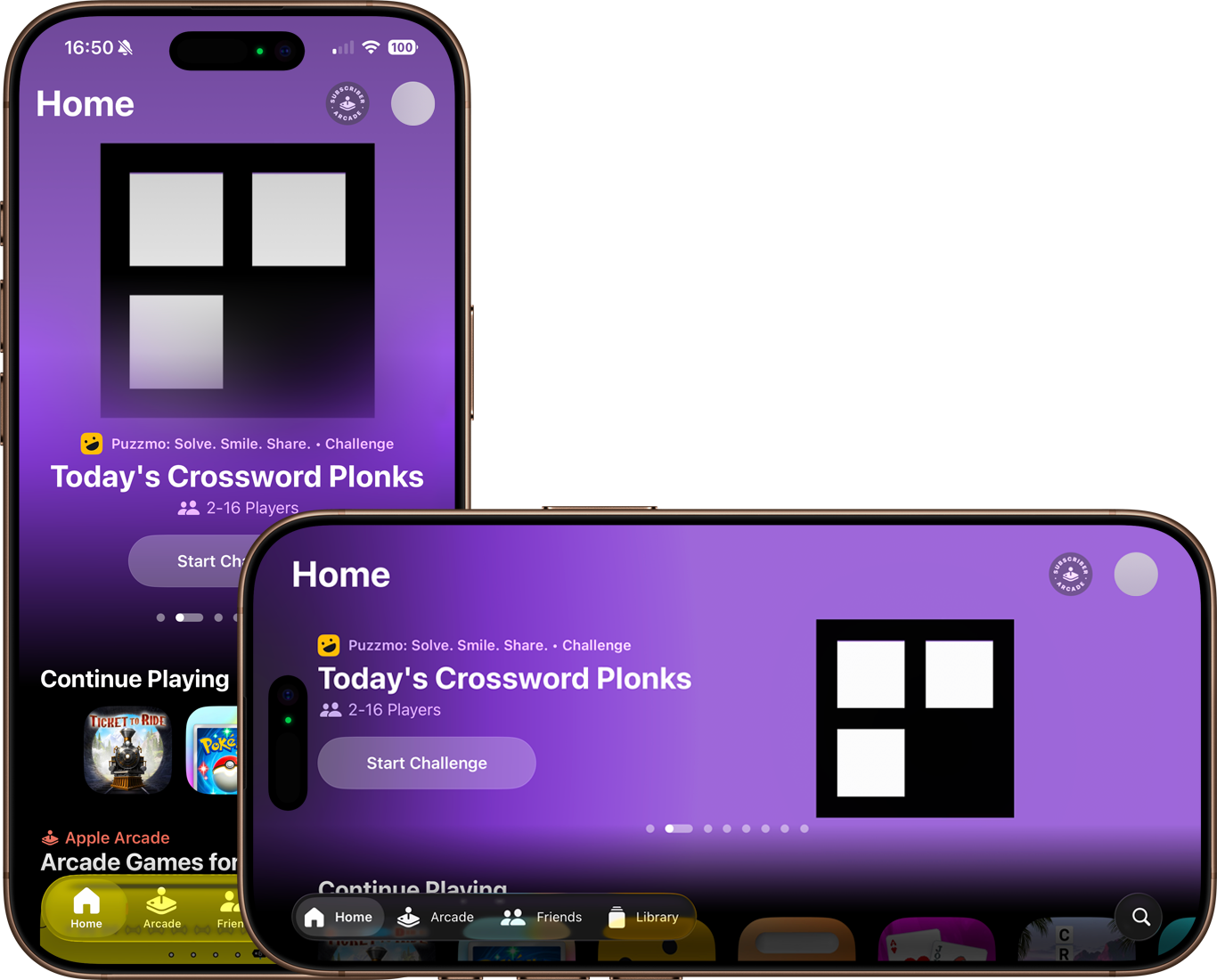
This passes because the app’s layout is adjusted to match the device’s orientation, without removing or restricting access to the content.
Common mistakes
Restricting content to a single orientation
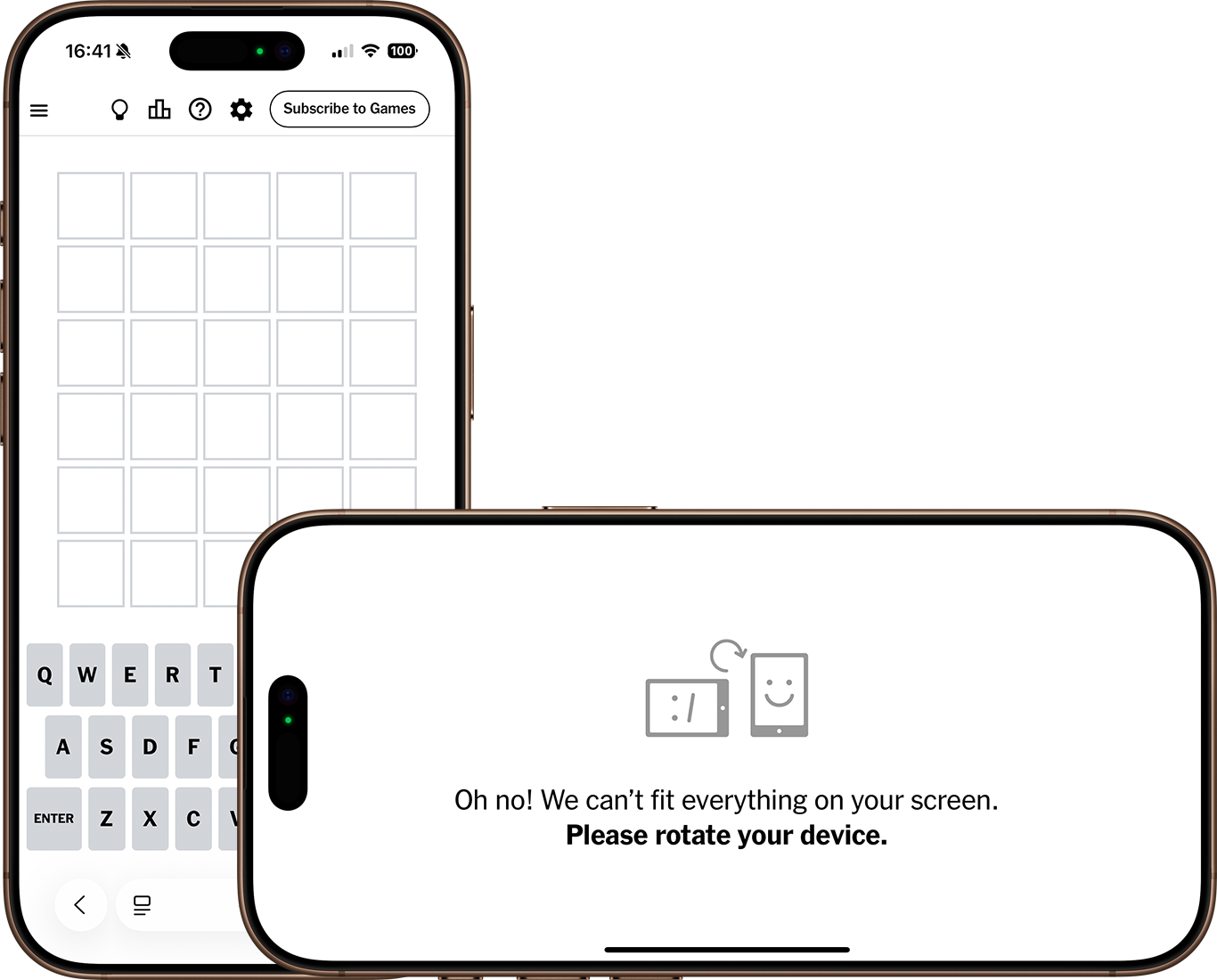
This fails because the webpage only allows access to the content in portrait orientation. Landscape orientation instead shows a message instructing the user to rotate their device to portrait.
Content not adjusting to landscape mode
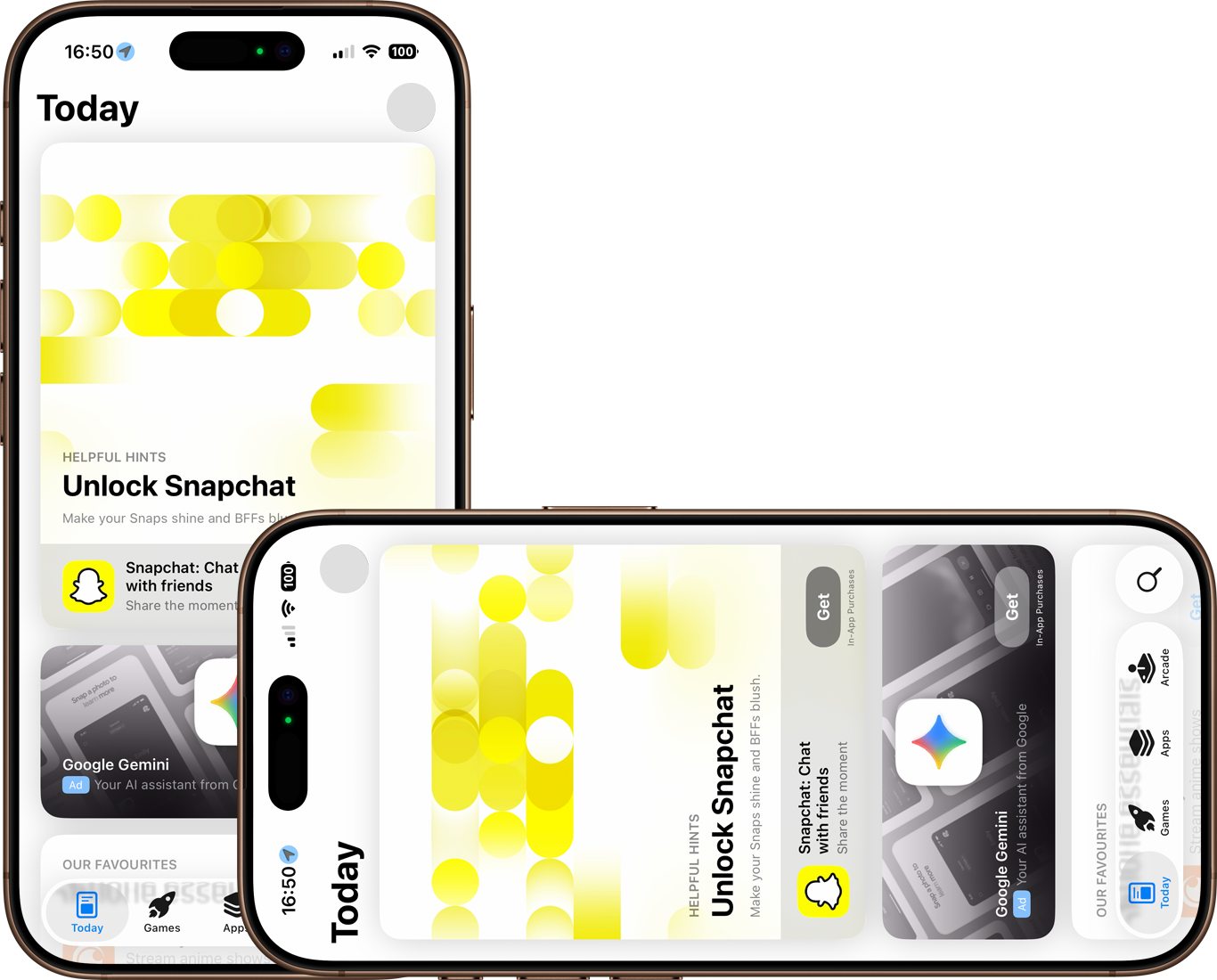
This fails because the app’s layout does not adjust to match the device’s orientation, continuing to show portrait-oriented content on a landscape device.
Related success criteria
To pass this success criterion, it’s only important that the user is not forced to use a specific orientation. Ensuring that layouts adapt to changing orientations is partially covered by 1.4.10 Reflow (AA).
Useful resources
Last updated
This page was last updated in December 2025.